Photos, Videos Not Downloading in WhatsApp

If you are suddenly unable to download received Photos, Videos on WhatsApp, then follow the given below steps-

1. Open your WhatsApp.

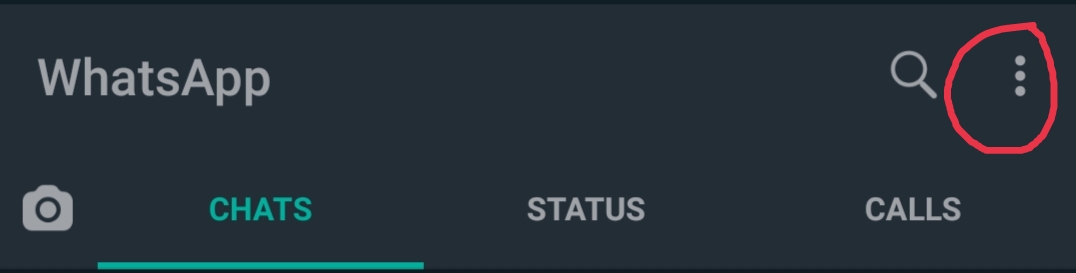
2. Click on three dots on the right corner.
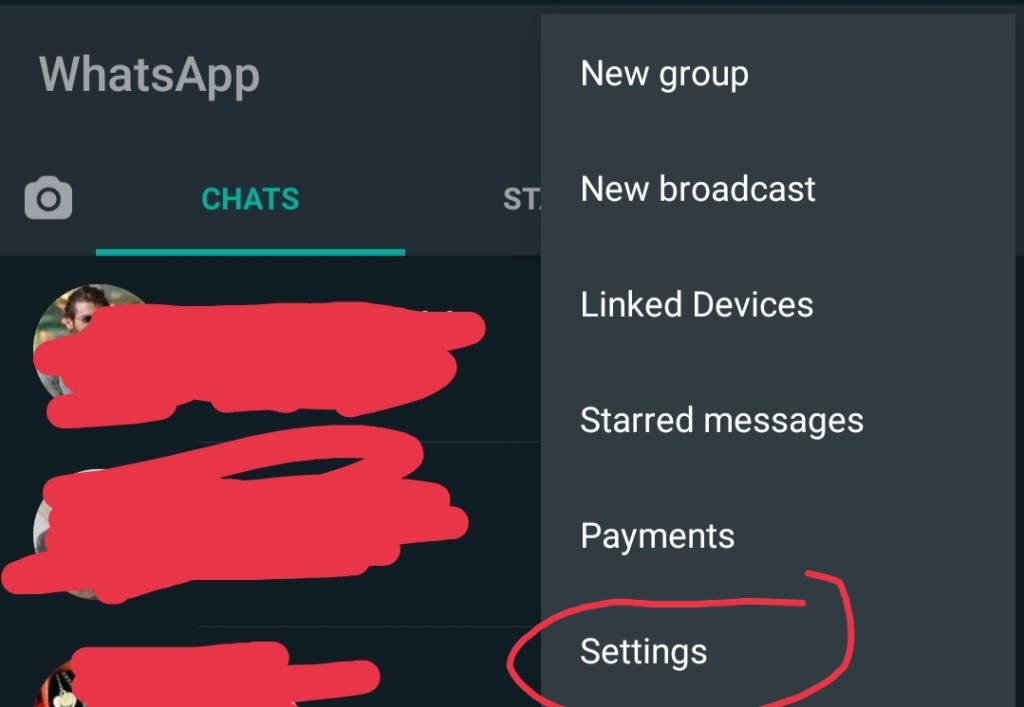
3. Click on Settings.
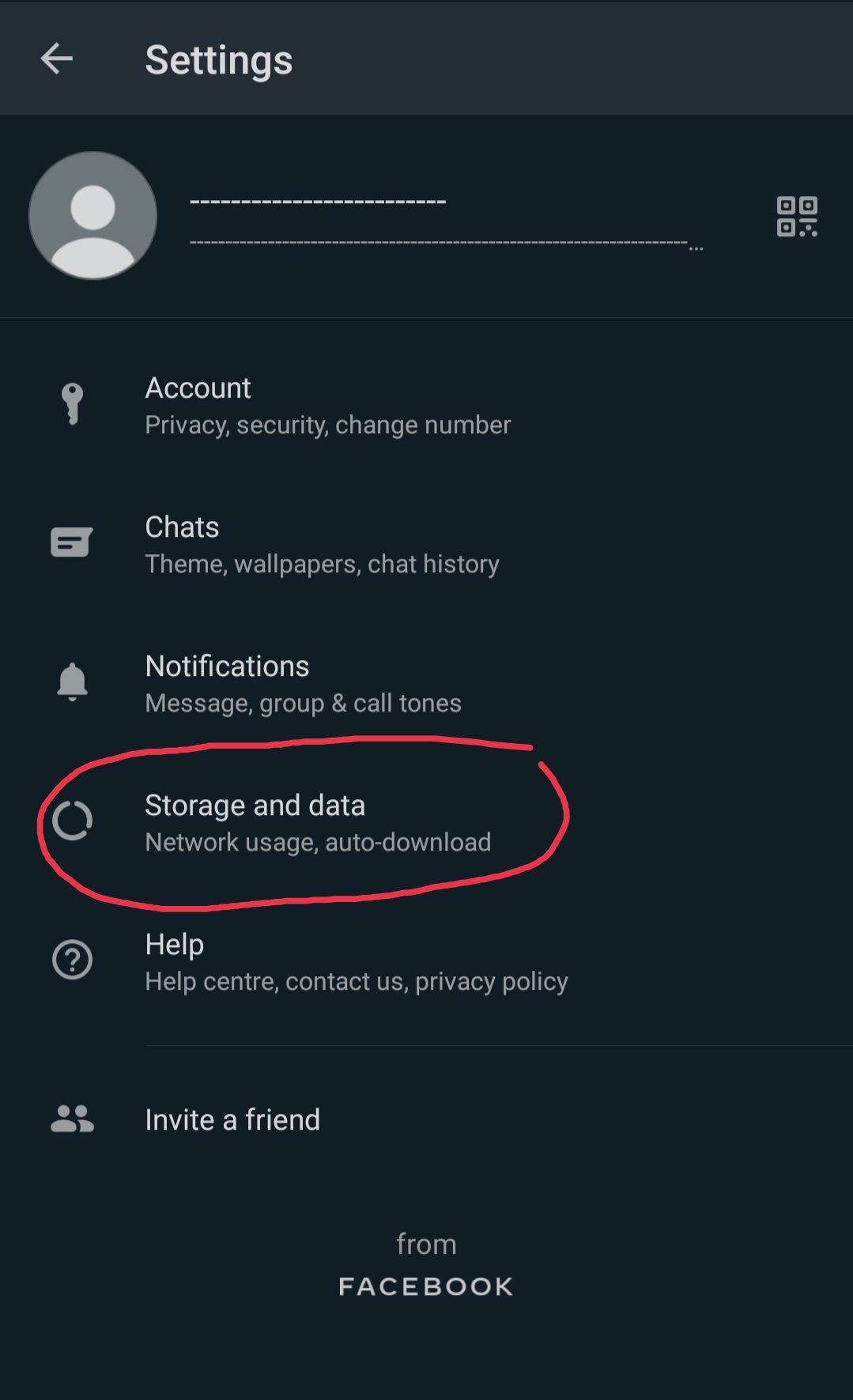
3. Click on Storage and Data.
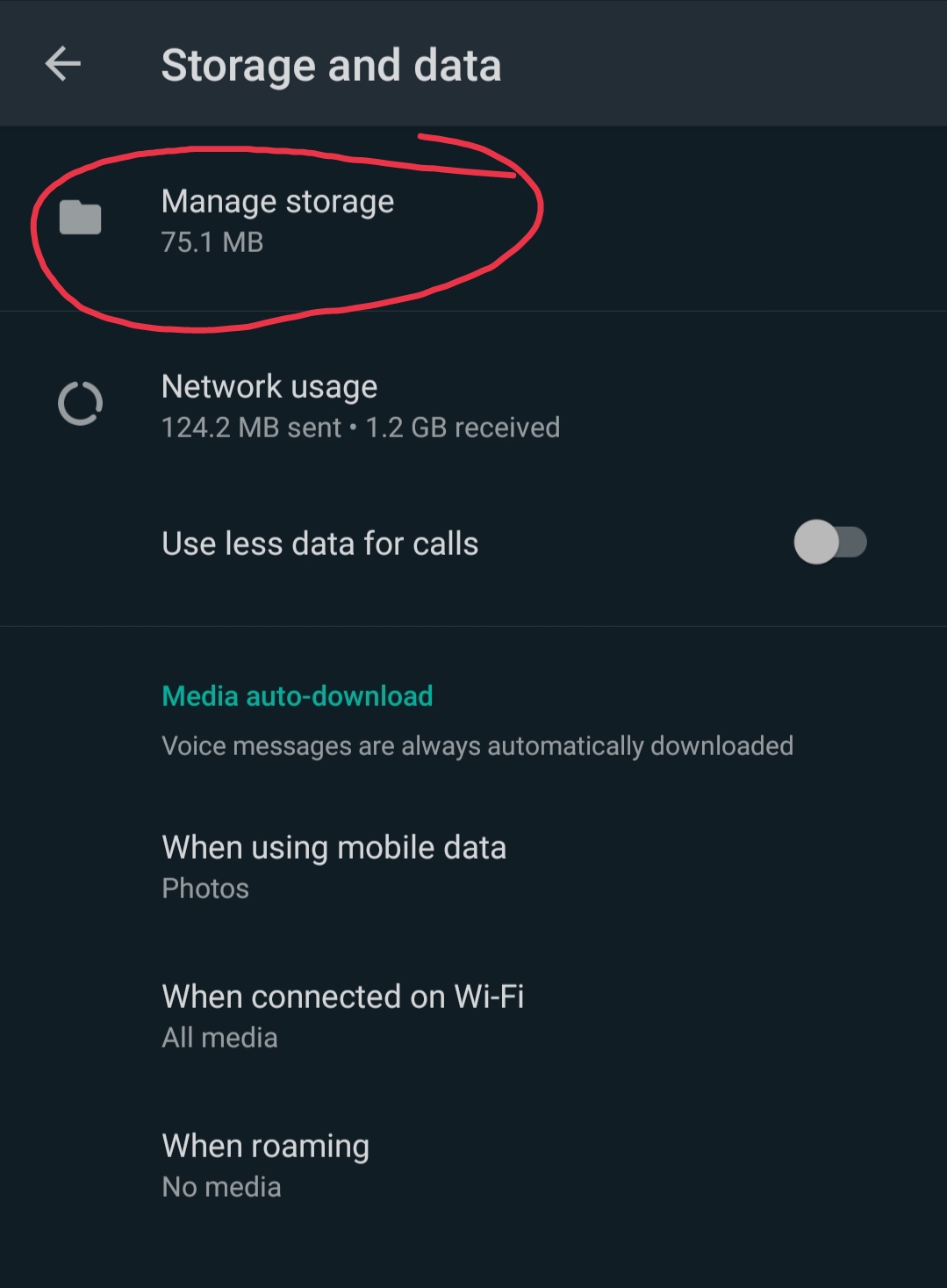
4. Click on Manage Storage.
You will see such a interface
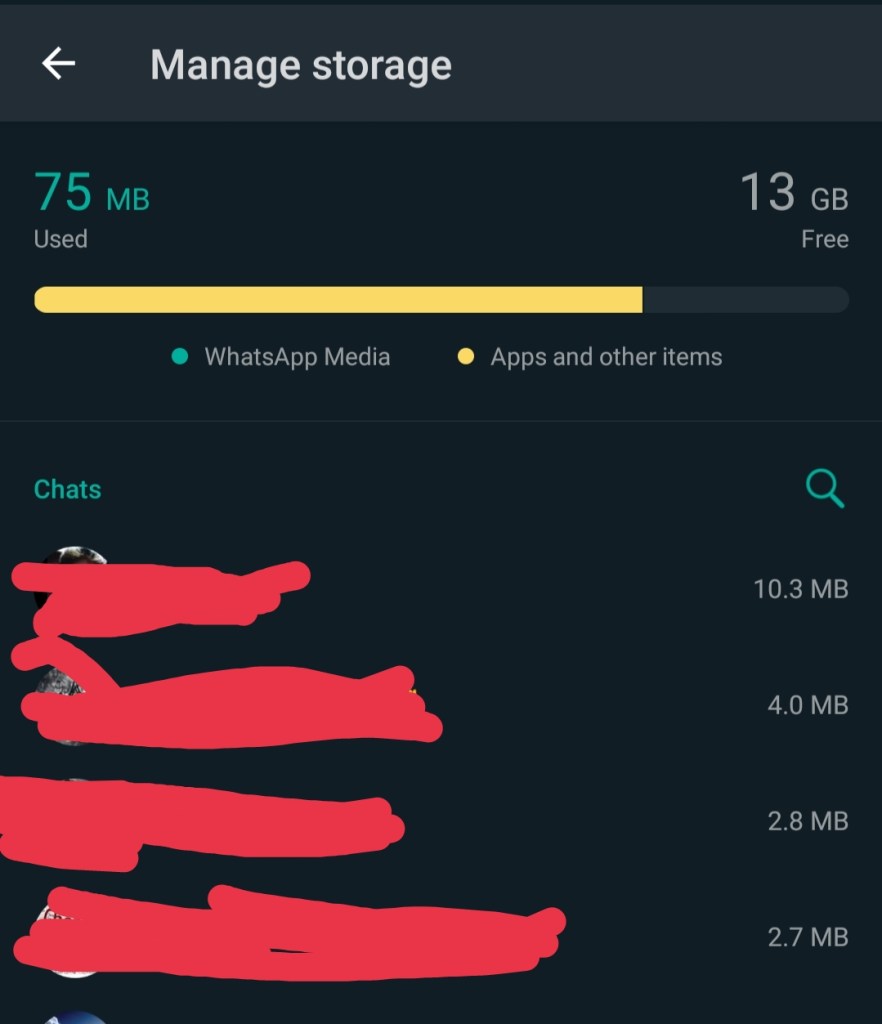
Now click on the particular chats, you will see the storage consumed by them, and media.

5. Now Click on Select All and Delete the media.
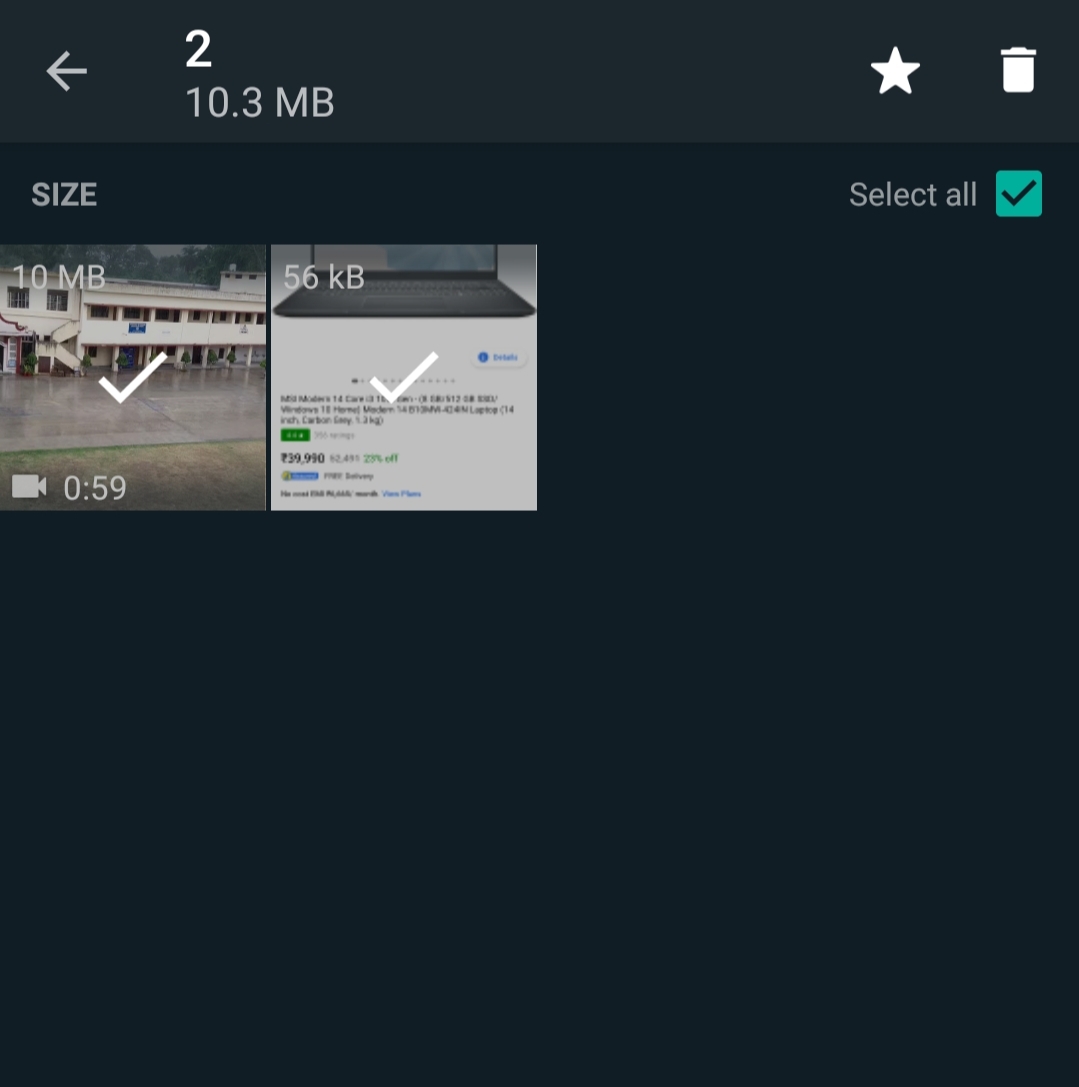
Similarly clear your other chats media and then you will be able to download received Photos, Videos and other Documents.

What is DARK WEB

There are mainly three types of Web – Surface Web, Deep Web, and Dark Web. Most commonly we all surf only Surface Web. You can simply use Surface Web using Google, Mozilla Firefox, Internet Explorer, etc like Web Browser’s. But you cannot surf Dark Web using these Web Browser’s. Dark Web sites end with .onion domain. And these sites cannot be indexed in these types of Web Browser’s. Some users feel extremely strongly about their privacy, and prefer to hang out where they can’t be watched. That’s why Dark Web was developed to keep users anonymous. But Nowadays, Because of anonymity of users they use it for some illegal purposes, crimes. People from different countries created their sites on Dark Web and offering Hacking Services, Carding Services, and many more.

HOW TO ACCESS DARK WEB

Dark Web can be accessed using special type of Web Browser called TOR (The Onion Router) Browser. Some others are Subgraph OS, Waterfox, ISP, Tails, Whonix and many more.

Factorial Program using Recursion in Java.

class Main
{
   static int Fact(int num){
     if(num == 1){
       return 1;
     }
     else{
       return num*Fact(num-1);
     }
   }
   public static void main(String args[])
   {
    int z = Fact(5);
    System.out.println(z);
   }
}

we calculated factorial of number 5. You can pass any number in the place of 5.